Building Sky, the design system for the Yappes API platform
I built Sky, the Yappes design system, on top of Mantine with one frontend engineer, starting from the most-used components.
Yappes screens were designed with little shared guidance, so every feature looked a bit different and engineers rebuilt the same parts again and again. Together with one frontend engineer, I built Sky on top of Mantine, the library the product already used, with tokens, components and patterns for both Yappes products.
- ROLE
- Senior Product Designer, the only designer at Yappes. I started Sky, named it and designed it
- TEAM
- Me and Chandan, frontend engineer, who built the components in Mantine
- TIMELINE
- Feb 2025 to May 2025
- BUILT ON
- Vanilla Mantine, the React library the product already used
- PRODUCTS
- API Manager and Admin Console
- TOOLS
- Figma variables, component properties
One product, many visual languages
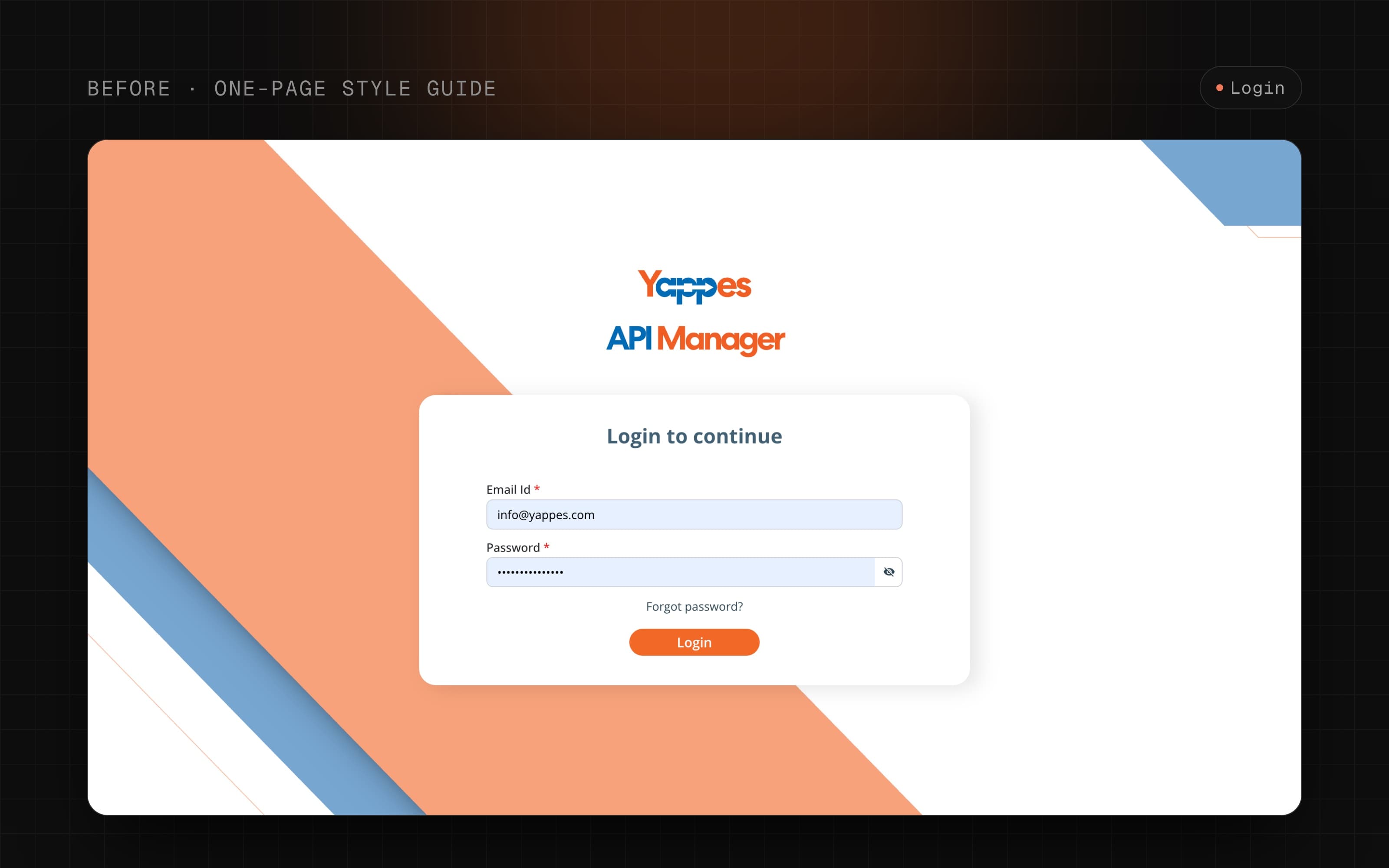
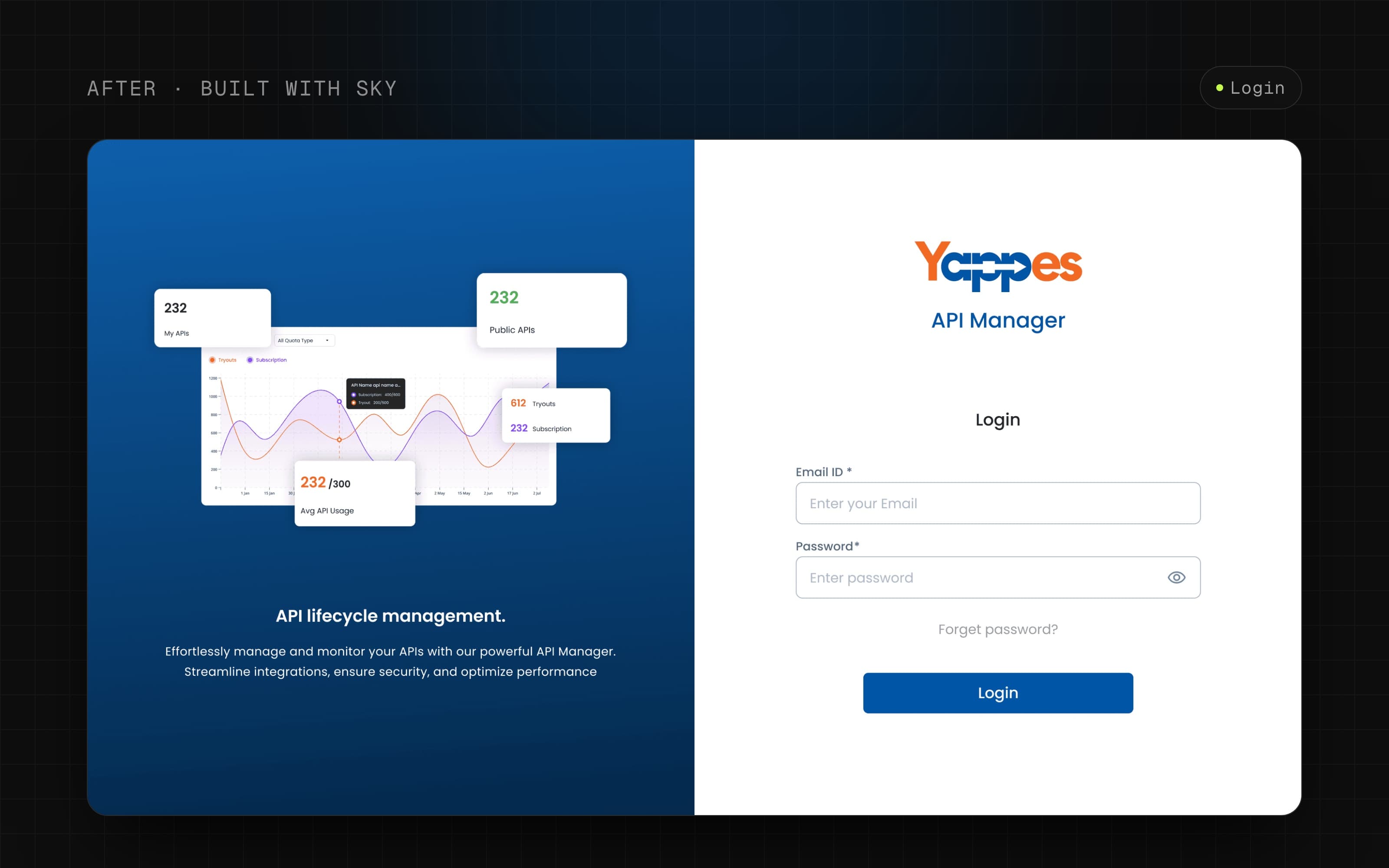
Before the system, Yappes had a one-page style guide and a lot of guessing. Each new feature made its own small choices, and they added up.
| AREA | BEFORE | AFTER |
|---|---|---|
| COLOUR | Bright orange and blue, with no scales or rules for use | 21 colour scales from 25 to 900, plus semantic tokens per component |
| TYPE | Source Sans Pro and Open Sans, no shared scale | Poppins, one type scale from 10px to 76px, 131 text styles |
| ICONS | Mixed outlined and filled icons from Material, React Icons and others | Material Symbols Rounded only, weight 400, grade 0 |
| SPACING | Picked by eye | A 4px scale, 12-column grid, 4 breakpoints |
| COMPONENTS | Rebuilt per feature | 28 shared components with documented states |
The cost was real: inconsistent screens for users, slow handoff for engineers, and design time spent redrawing parts instead of solving product problems.
Was a design system worth it for a small team?
Yes for the core, and no for parts of it.
How the system is built
Change one primitive, and every component and screen that uses it updates. This is what made the platform consistent.
- 328 colour tokens
- 21 scales, 25 to 900
- 4px spacing scale
- 228 tokens
- Named by job, like button or input field
- 28 components
- 4,000+ variants
- Built on Mantine
- API Manager
- Admin Console
- ~89% from the system
Redesign on top of Mantine, most-used components first
The product was already built on vanilla Mantine, and the team was not ready to replace it. So the job was not a new library. It was a redesign of the look and feel on top of the one we had: same components, restyled with Yappes tokens, with fixed behaviour where Mantine didn't fit.
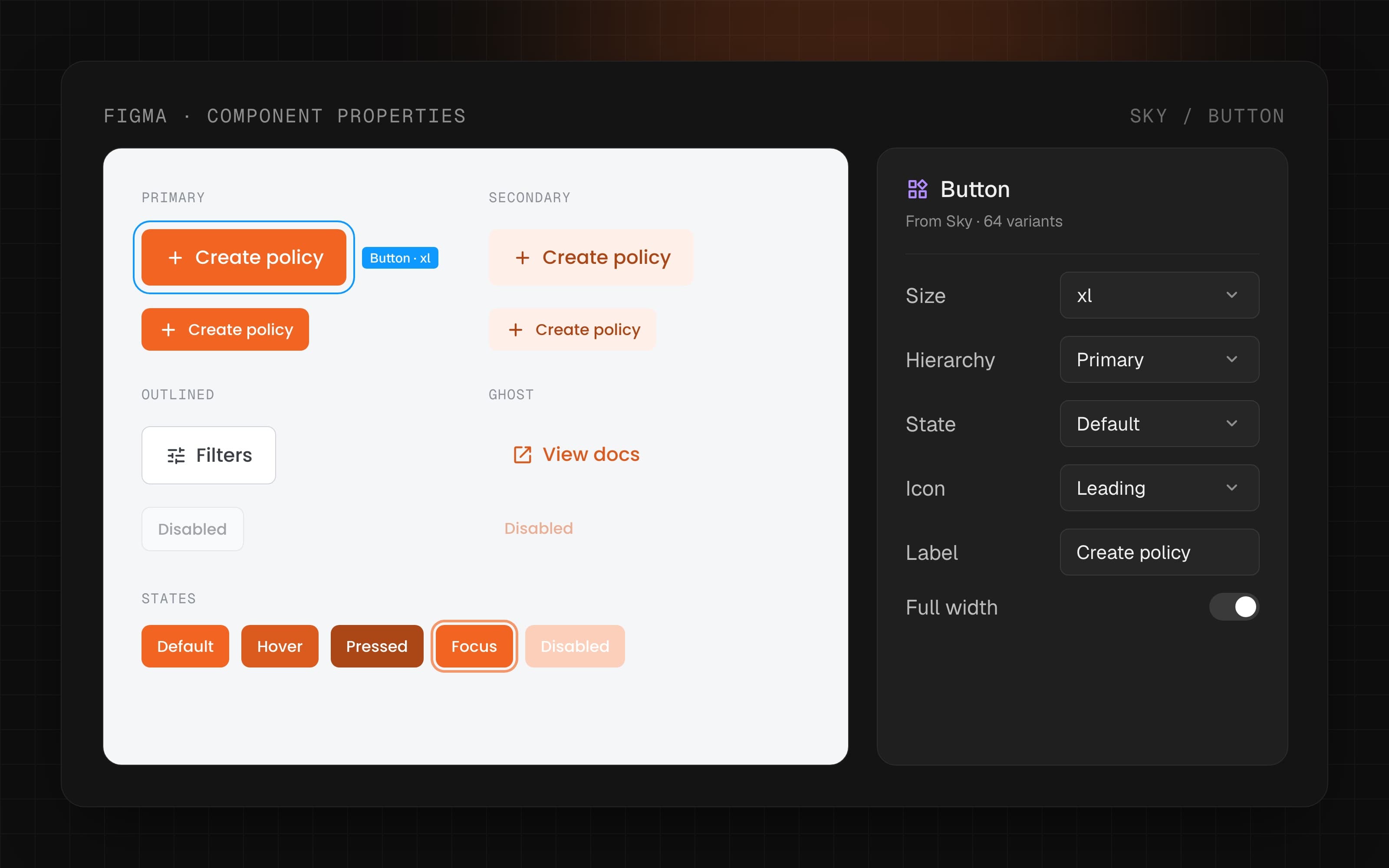
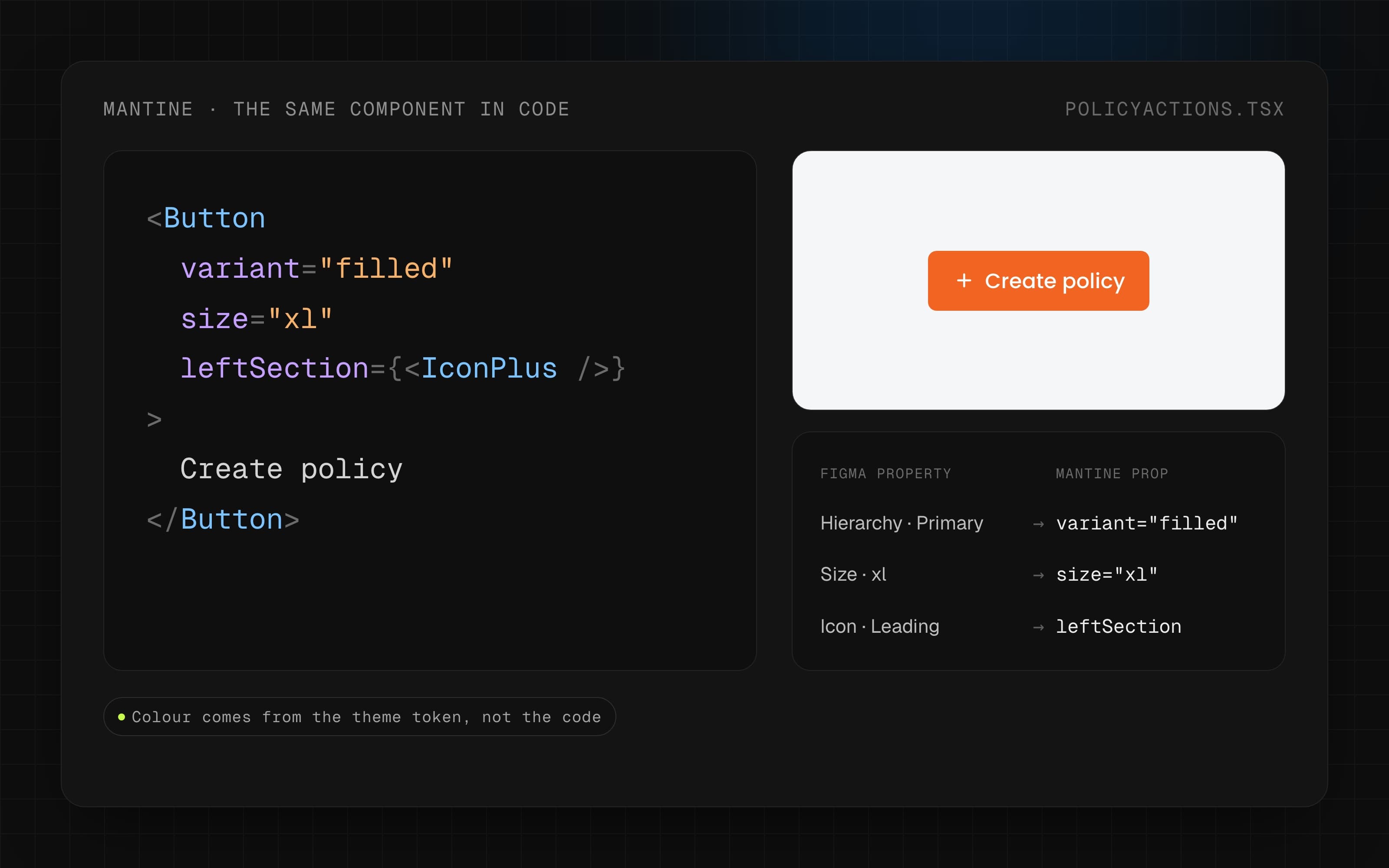
HOW WE WORKED · Chandan, the frontend engineer, and I went through the product to find the most-used components and did those first. I designed and documented each one in Figma, and he built it in Mantine and checked it against real screens.
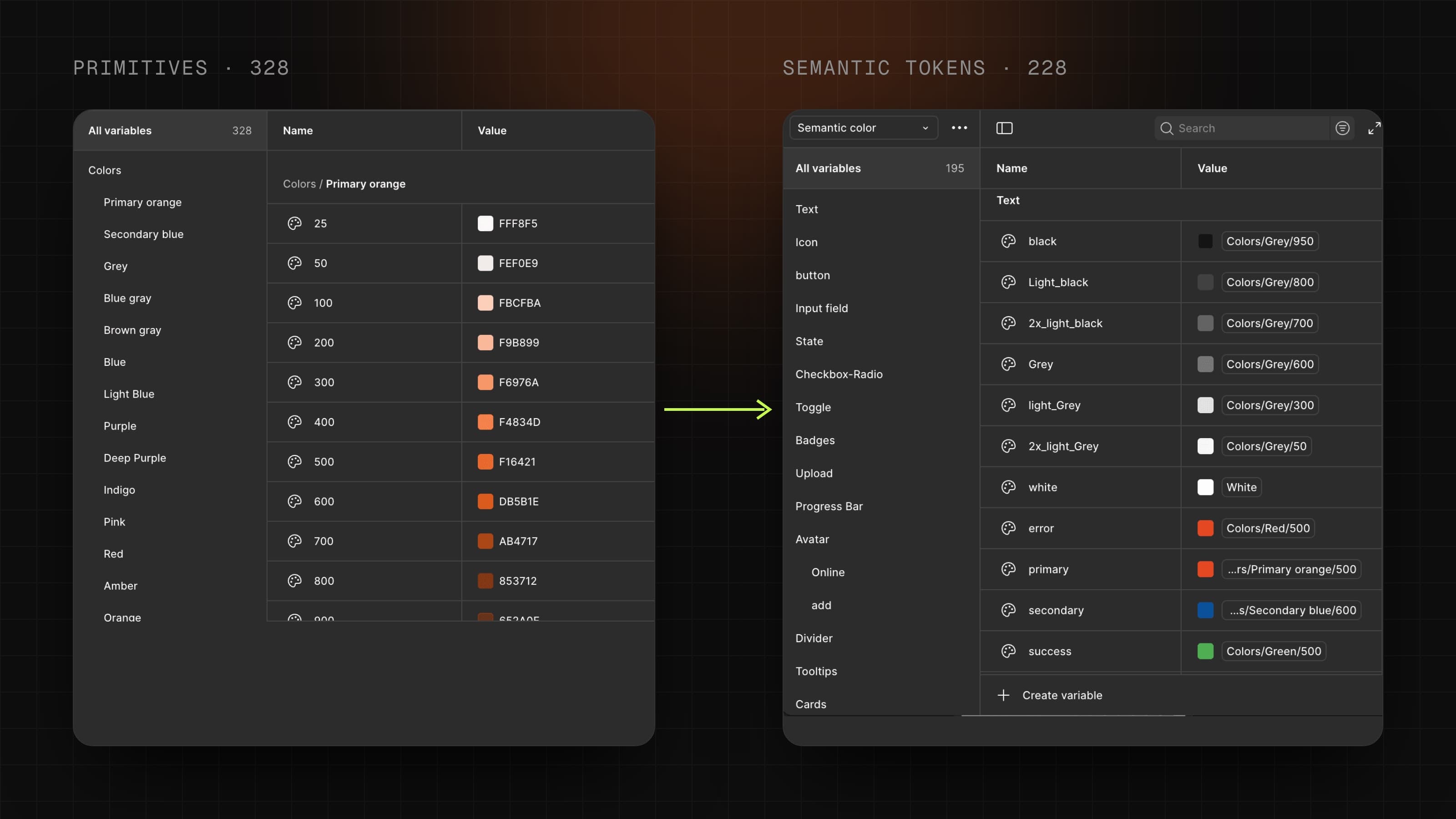
Two token layers, so colour changes in one place
Components never use a raw colour. They use a semantic token, which points to a primitive.
- Primitives (328 colour tokens): 21 colour scales, including Yappes orange and Yappes blue, each from 25 to 900.
- Semantic tokens (228): named by job and grouped by component: button, text, input field, icon, badges, avatar, data table and more.
- Spacing and layout (48): a 4px spacing scale, radius steps and 4 breakpoints (768, 1280, 1440, 1920).
Accessibility from a real audit, not a checklist
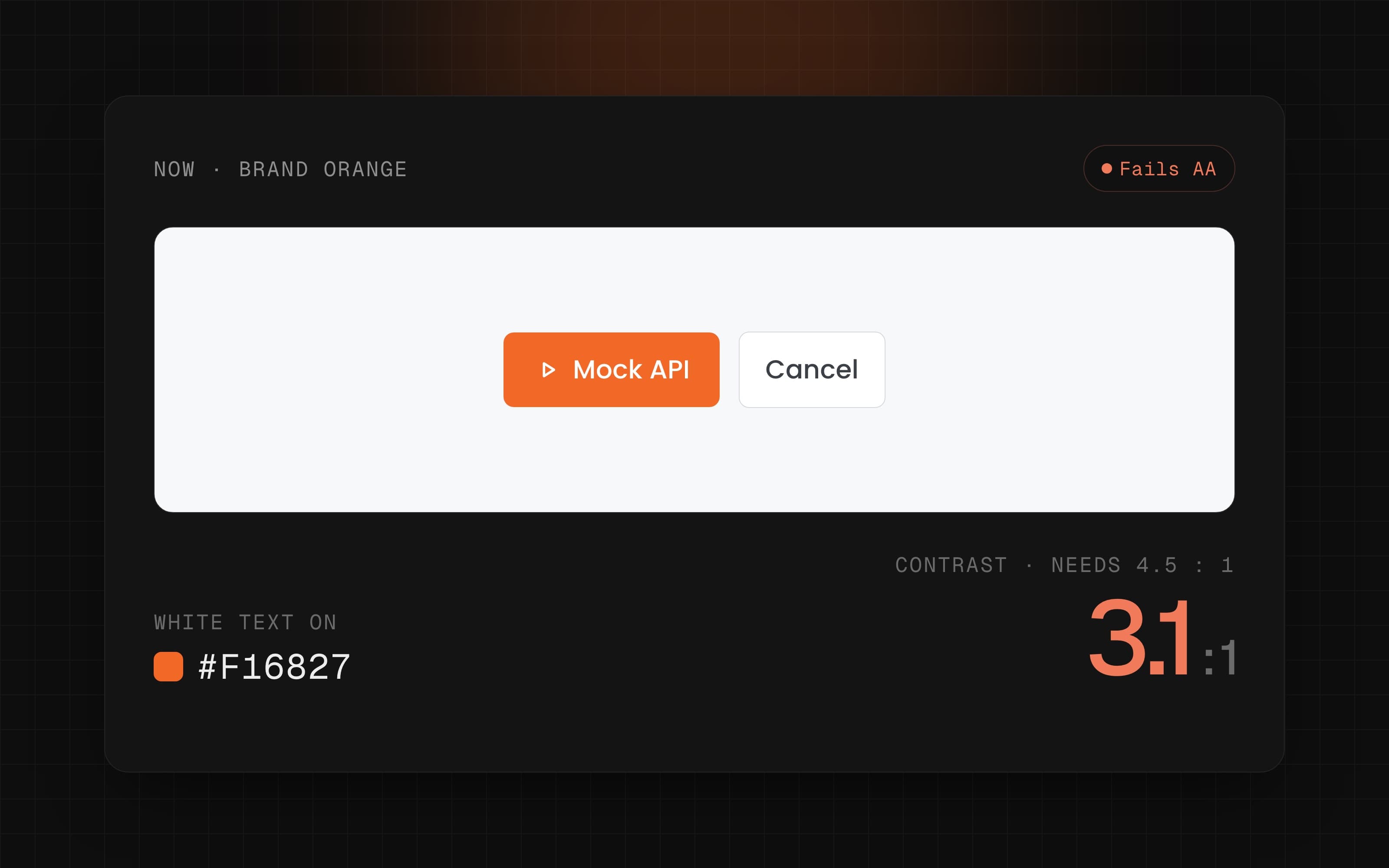
I audited the live API Listing page against WCAG and found 13 issues: 1 critical (controls not readable by screen readers) and 12 colour contrast failures.
| ELEMENT | NOW | PROPOSED FIX |
|---|---|---|
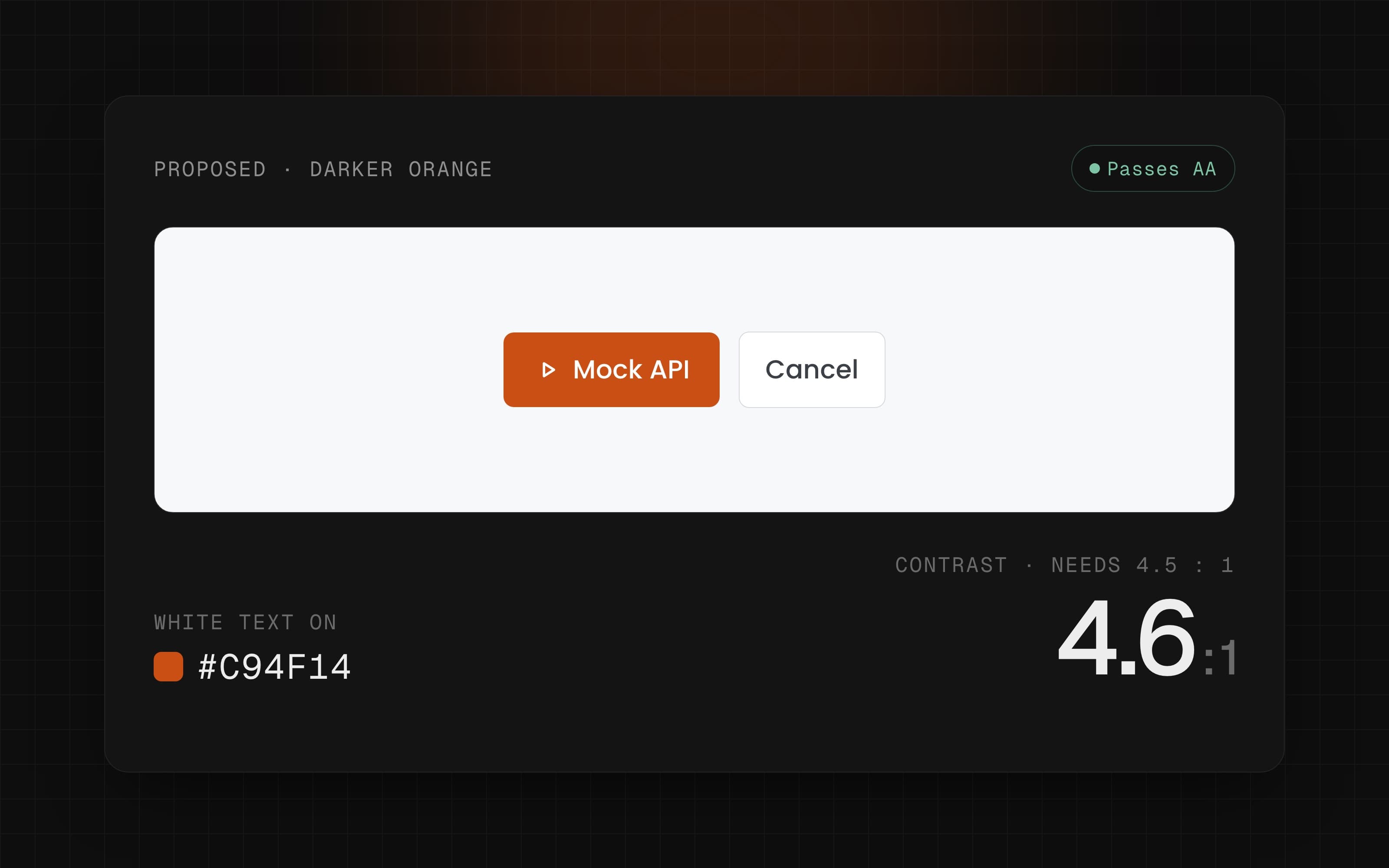
| White text on Mock API button | Brand orange #F16827, fails AA | Darker orange #C94F14 |
| Tag filter label | Light grey #D1D5DB | Grey #757575 |
| "+X more" labels in tables | #BFBFBF on near-white | #757575 |
WHAT HAPPENED · The plan was to keep brand orange for highlights but never under white text. We finished one audit round, then the team moved to shipping platform features, so most fixes were not built. The audit is ready as the starting point for the next round.
The final system
The system has four layers, each built on the one before it.
| LAYER | WHAT IS IN IT |
|---|---|
| FOUNDATIONS | Colour, type, icons, 4px spacing, 12-column grid, 4 breakpoints |
| COMPONENTS | 28 components: buttons, inputs, checkbox and radio, toggle, badges, data table, action bar, filters, dropdowns, tabs, stepper, toast and more |
| PATTERNS | Login and signup, marketplace listing, API list tables, filter drawers |
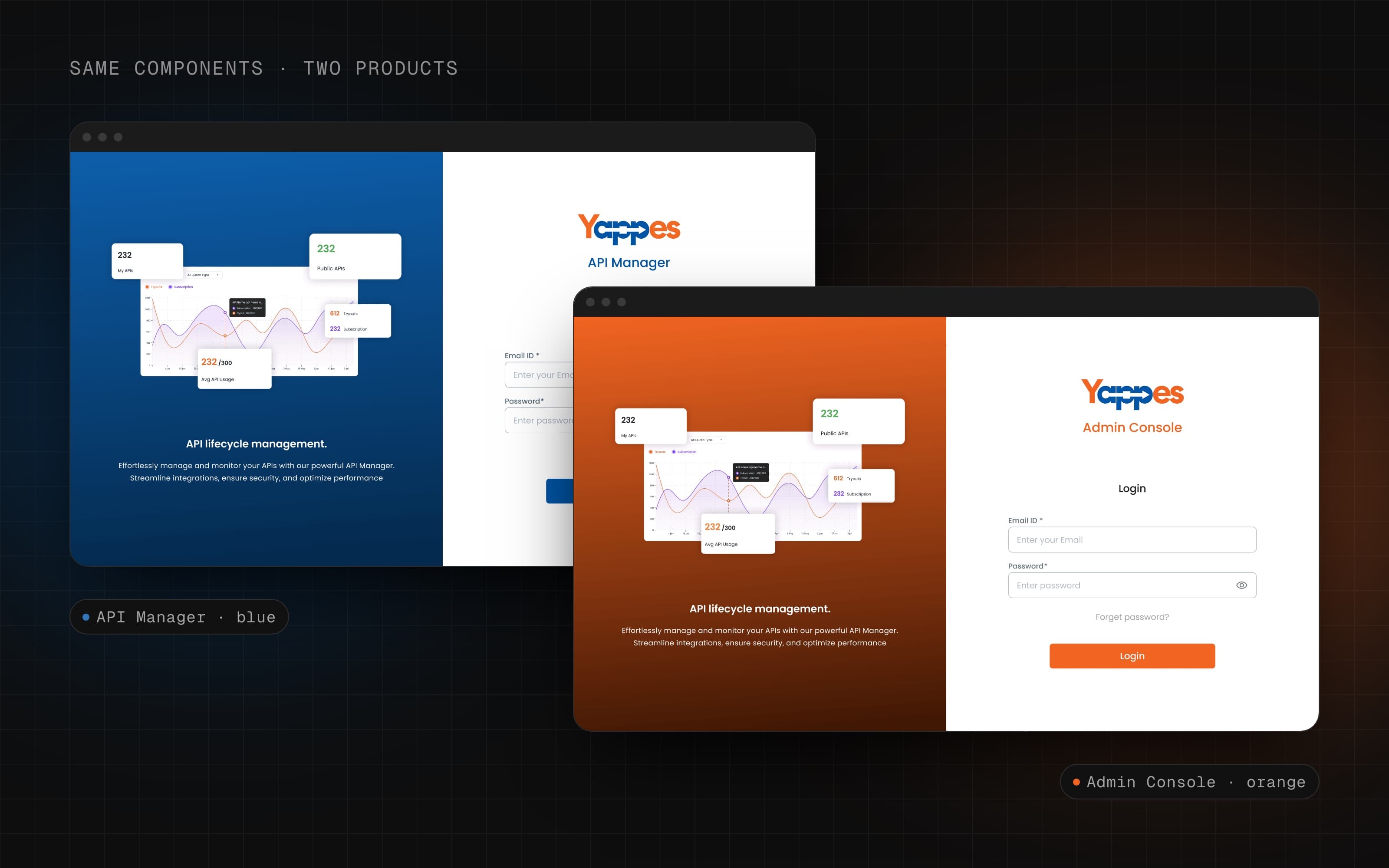
| PRODUCT THEMES | Same components, two products: API Manager in blue, Admin Console in orange |
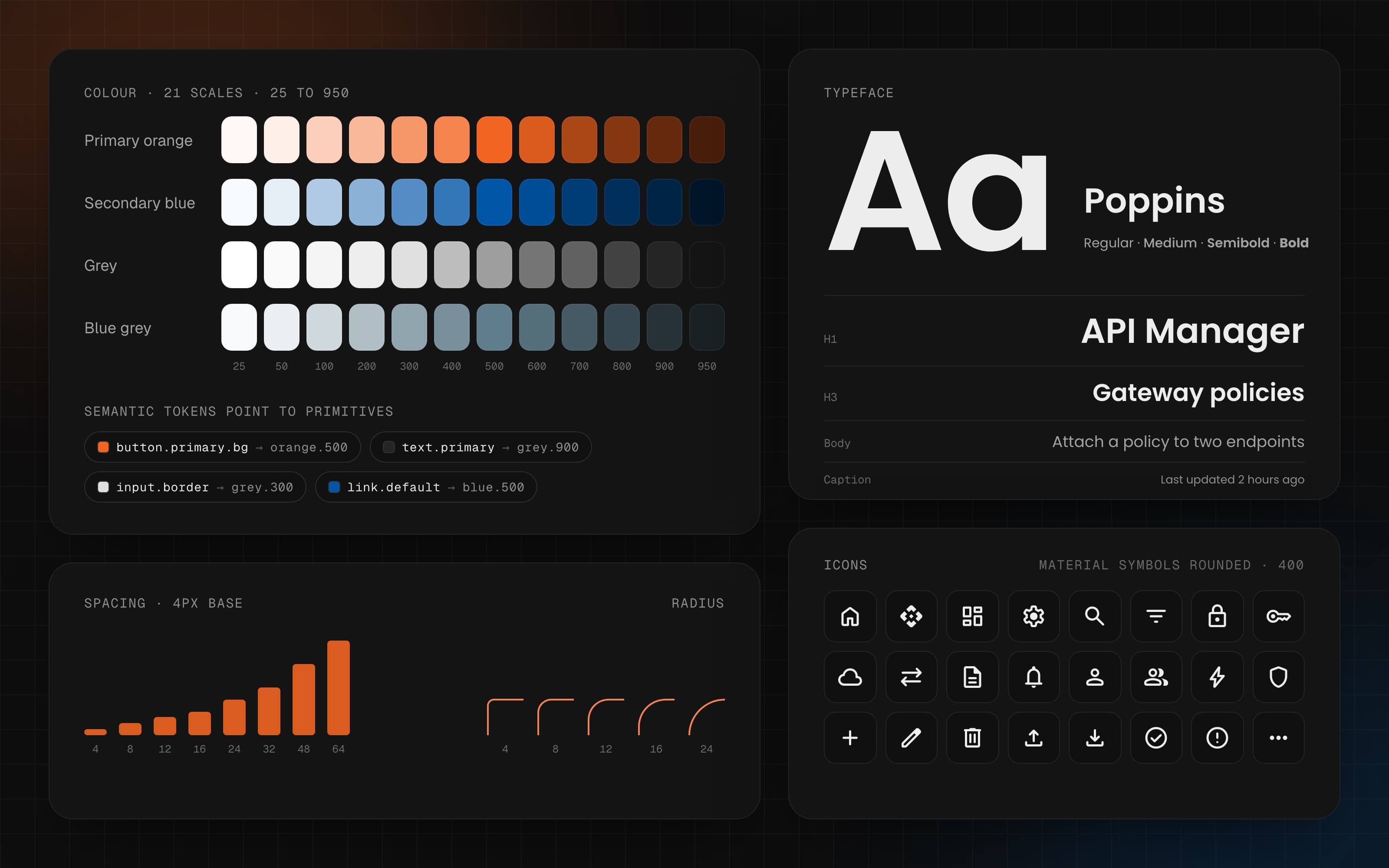
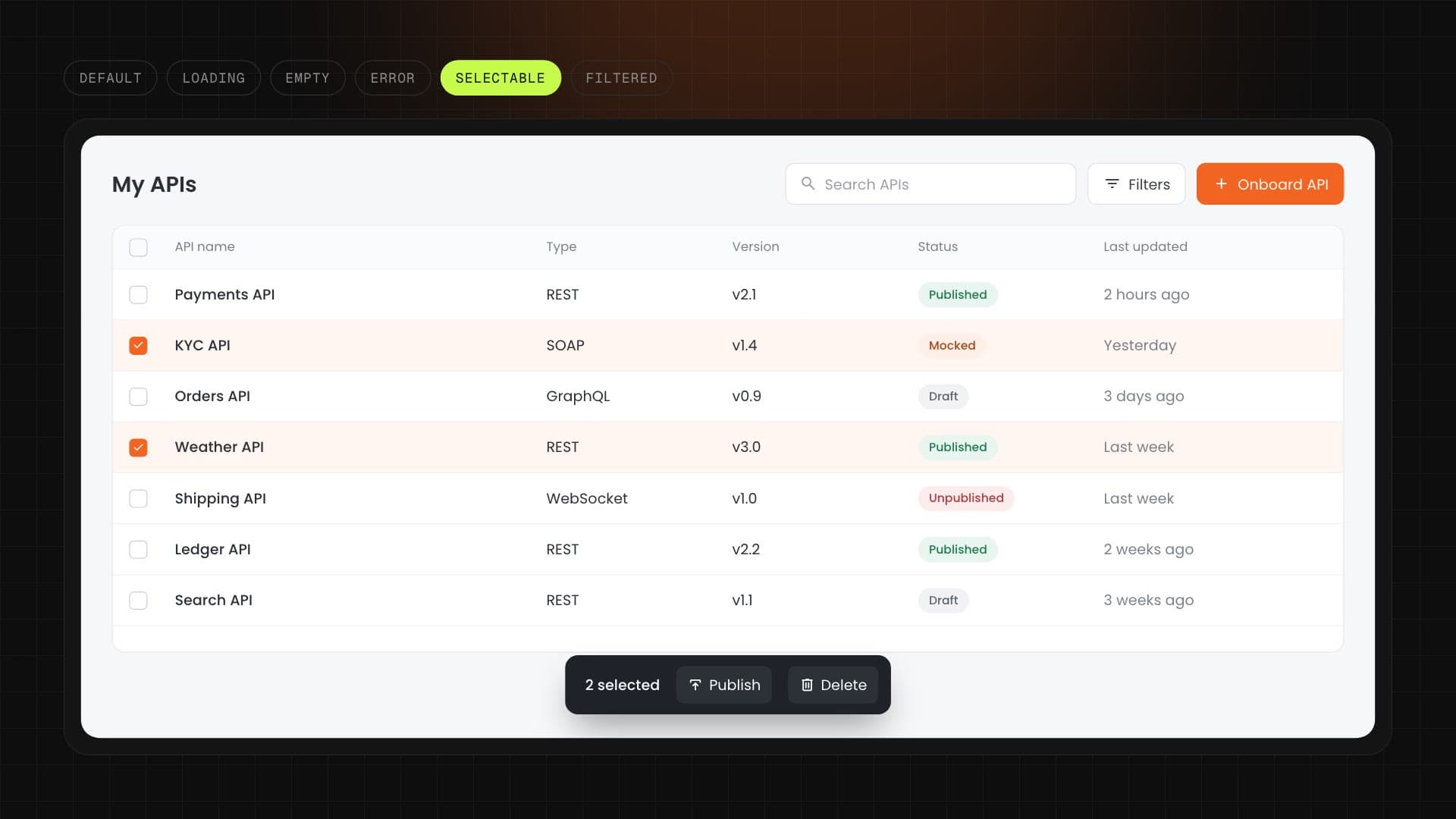
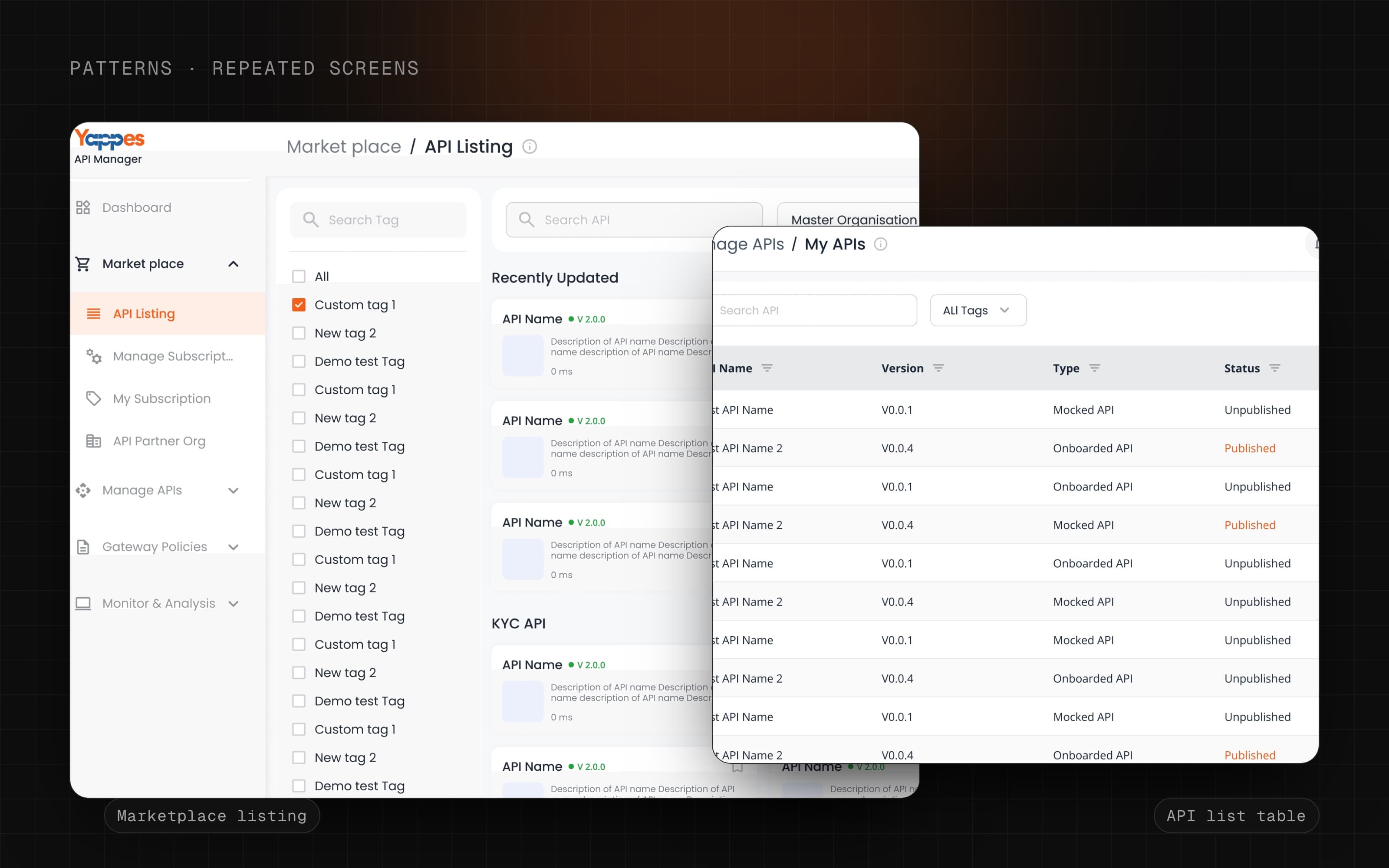
The data table and the filter drawer are the strongest components to feature. They carry the most states (loading, empty, error, selectable, filtered), and they are what most Yappes screens are built around.
The system became the base for the whole platform.
Across the two product Figma files, about 89% of the UI (out of roughly 108,000 component uses) comes from shared components.
What I missed, and what I'd fix
I built Sky as the only designer, so it has gaps another designer would spot quickly. I audited my own Figma file to find them.
| GAP | WHAT THE FILE SHOWS | WHAT I'D DO |
|---|---|---|
| Accessibility fixes not shipped | 13 issues found in one audit; work paused for feature deadlines | Fix contrast in the semantic tokens first, since one token change fixes every component using it |
| Overbuilt palette | 82 of 328 primitive colours are used; Pink and Lime scales are never used | Start with brand, grey and status colours; add scales only when needed |
| Not every component uses tokens | 88% of component colours are tokens. Core components are 100%, but loaders (10%), side menu (53%) and cards (73%) still use raw colours | Finish tokens on these before adding new components |
| Thin documentation | Only 2 of 142 components have a usage description, and several pages share the same copied guidance text | Add short do and don't notes to the 10 most-used components |
| Messy file | 66 components with generic names like "Component 340", 6 empty or test token collections, two spacing scales, two semantic colour collections, a Trash page | Clean up and merge before handing the file to another designer |
| No way to measure | No usage tracking or changelog | Track component usage with Figma library analytics and keep a short changelog |
No second designer ever reviewed the system. Every decision was mine. Next time I would set up a regular review with engineers and at least one designer from outside the project.
Each gap is small on its own. Together they are the difference between a system that works for its maker and one that works for a team.
Building on the library the team already uses gets a system adopted faster than a perfect custom one.
Starting with the most-used components gave the biggest win for the least work.
A design system is a product. Without time set aside after launch, work like accessibility gets pushed back by features.